Preferences
Text message updates
HaloRides sends recurring, non-marketing transactional SMS to registered HaloRides account holders who separately opt in. Alerts may report community membership, ride confirmation, pickup status, ride start, cancellation, and completion. HaloRides also sends a separate one-time verification code only when a user requests one to confirm a phone number.
How to opt in
After signing in to HaloRides, open Settings → Text message updates. Choose Send me text updates, request a verification code for your own mobile number, enter the code, and save. This choice is off for new accounts; it is not part of signup. You can use HaloRides without text updates, and turning them off does not hide your rides or chat messages in the app.
HaloRides does not send automated invitation texts to uploaded contacts, phone-only contacts, non-users, or anyone who has not opted in.
Message details
Message frequency varies based on community and ride activity. Message and data rates may apply. Carriers are not liable for delayed or undelivered messages.
Reply STOP to opt out. Reply START to opt back in after opting out by text. Reply HELP for help, or email support@halorides.org.
Mobile information and messaging consent are not shared with third parties or affiliates for marketing or promotional purposes.
Read the Terms and Conditions and Privacy Policy.
The opt-in screen
These screenshots show the live HaloRides Settings screen, captured on September 5, 2026 using an isolated review account. They are cropped to exclude account details. The checkbox starts unchecked, and you can leave this screen without enrolling.
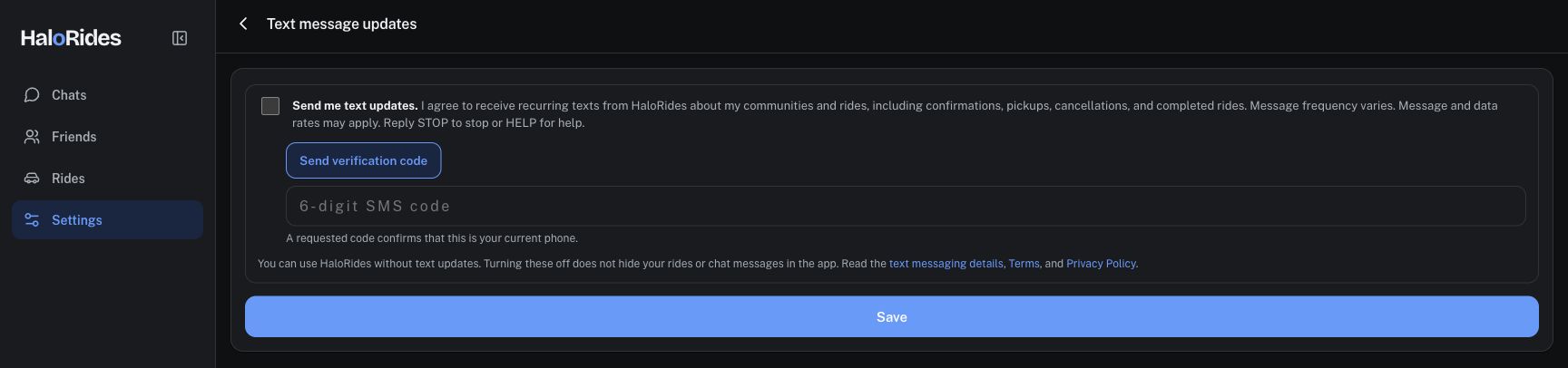
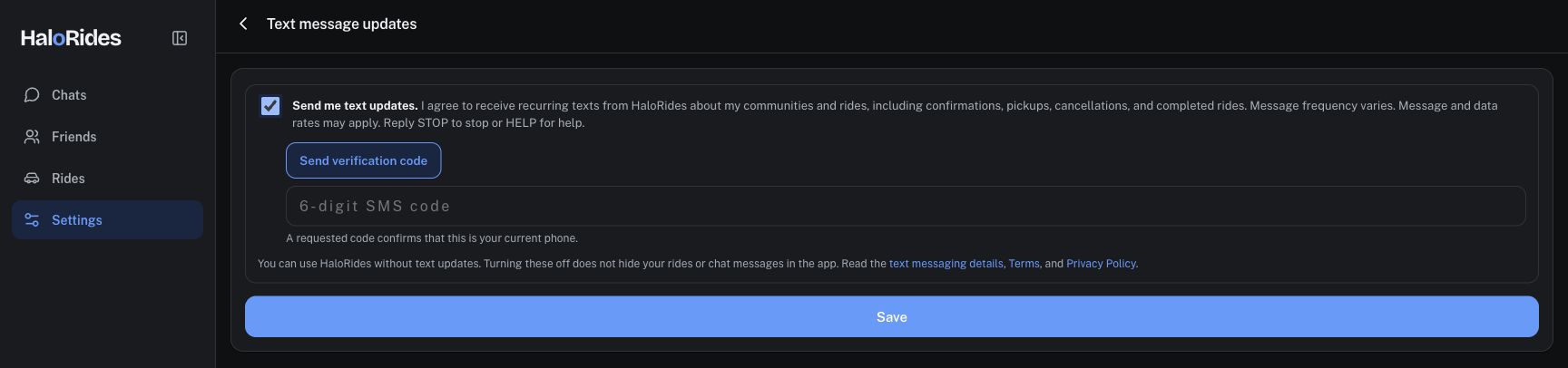
To complete enrollment, request a verification code, enter that code, and select Save. A successful enrollment is confirmed by a HaloRides text stating that SMS ride alerts are on, that frequency varies and message/data rates may apply, and that you can reply HELP for help or STOP to opt out.
Last updated: September 5, 2026.